Dismissal without the chaos at the gate
Parents announce when they're coming, teachers and the office see everything live and know who is allowed to take each child. Alongside the electronic gradebook, not instead of it.
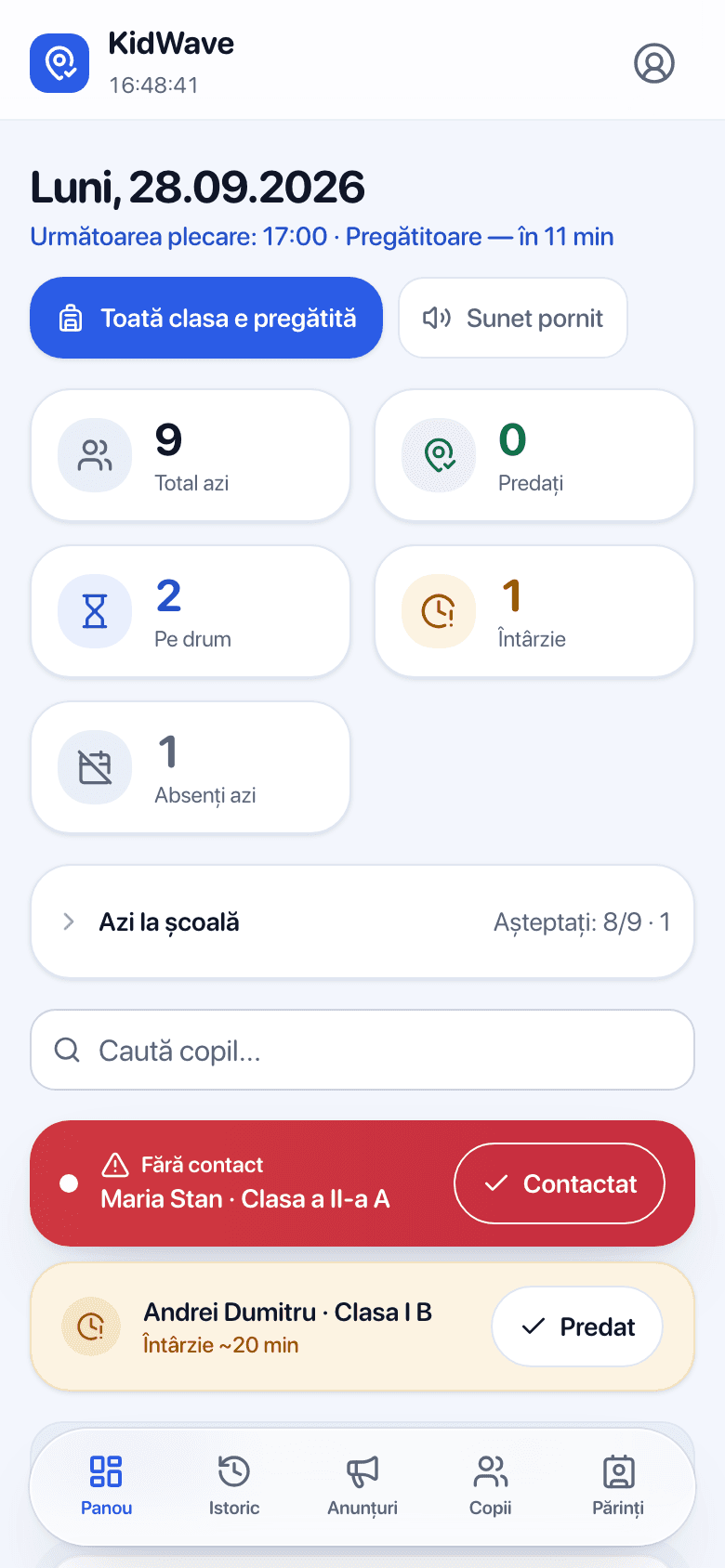
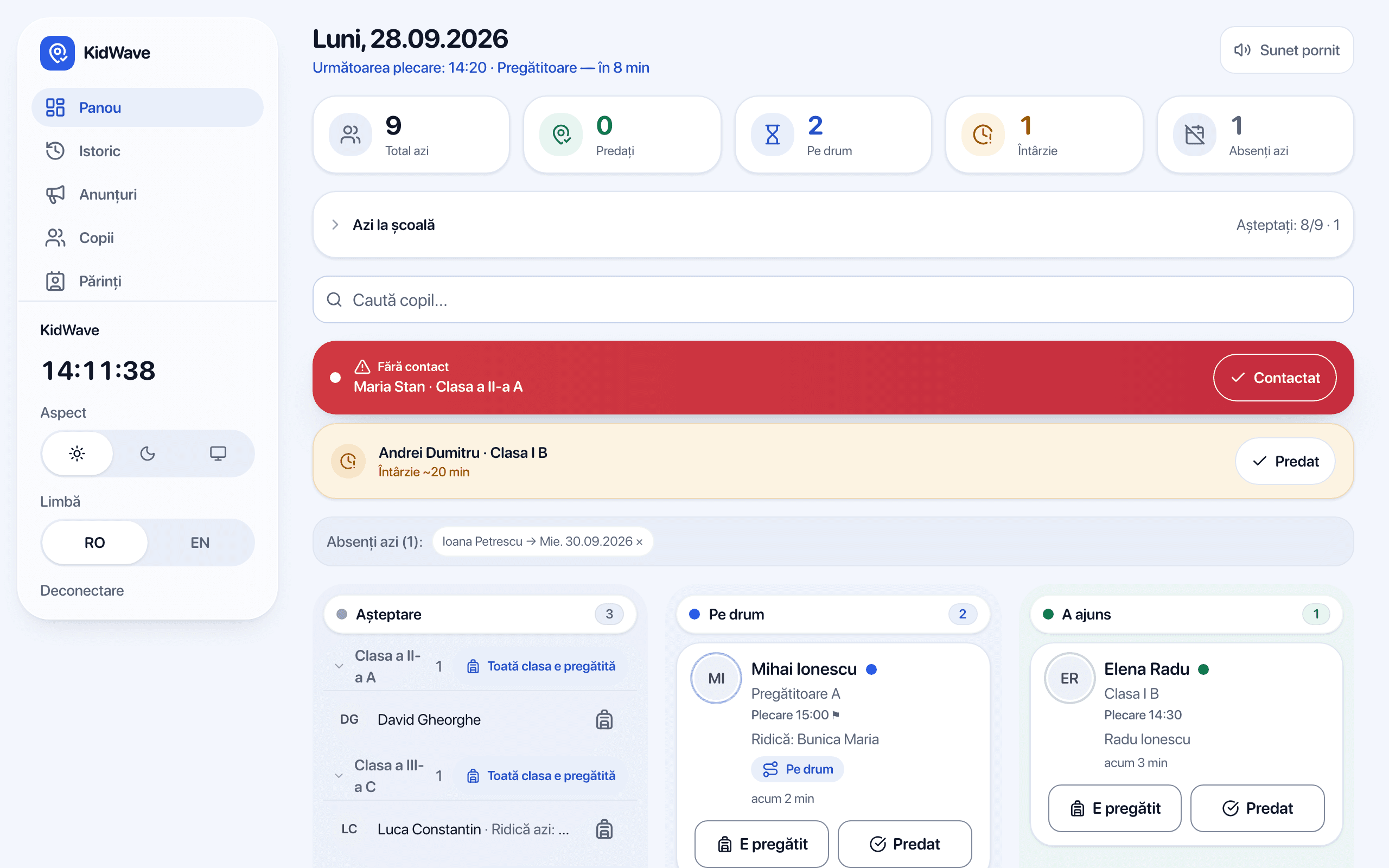
This is what 4 pm looks like at most schools
Calls to the office, WhatsApp group messages and shouting at the gate to find out whether a parent has arrived.
Children waiting in the cold or the noise, because nobody knows who is already outside.
Handover to grandparents or nannies runs on trust, with no record of who took the child.
How it works
The parent announces
On my way, I'm here, running late or not coming today. With one tap or, optionally, near the school after they confirm in the app.
The school sees it live
The board updates itself, by class and for the whole school: who's coming, who has arrived, who's late, who's absent.
Handover on record
The child comes out when the parent is at the gate. Every handover stays in the history, exportable any time.
The modules for schools
Everything staff use at dismissal, in a single app.
The class board, on the phone or the smart board
Every teacher has the app on their phone and manages their class: children, parents and invitations. The same board also opens on the smart board, so the whole class can see who's next.
Whole-school records
The office and management see every class on one screen: how many children today, how many handed over, who's on the way, who's late, who's absent.
Automatic notifications
Parents' announcements arrive on their own on the teacher's phone and the class board, with sound. Nobody calls to ask anymore.
Absences reported in the morning
The parent reports the little one isn't coming today or will be away several days, from the calendar. The teacher sees who's absent from the first hour.
Pickup by third parties
The authorized person gets a link tied to the phone that opened it first, with a QR code that changes every 30 seconds. The school scans the code or hands over without it; then the parent is told explicitly that the code was not checked.
“Ready” and “Handed over”
The teacher says a child or the whole class is ready to leave, then confirms the handover. The parent gets both notifications.
Alert when nobody shows up
If nobody has announced anything after dismissal time, the child is shown separately, with the parent's phone at hand. Mark “Contacted” after the call.
History and export
Who announced, who picked up, at what time and whether the handover was verified with a code. CSV export any time.
Announcements to parents
A message to one class or the whole school: early dismissal, closure, event. Public holidays apply automatically.
Set up in one day
By role, so everyone sees only what they need. We help at every step, and nothing gets installed on the school's computers.
The school sets up
The school's details, classes and dismissal times.
Add the teachers
The main and secondary teachers of each class, each with access to their own class only.
Teachers add children and parents
From Excel (CSV) or by hand, then they send every parent the app link.
30-minute training
Included in the price, on site or online.
Safety and data protection
- Parents' location never leaves their phone. Proximity is calculated on the device.
- Data hosted in the European Union (Frankfurt), strictly isolated per school.
- Full history: who announced, who picked up, at what time.
- Authorized people get a link tied to their phone, no account and nothing to install.
What it costs
from2.400RON / year
- A free trial for a whole semester, with assisted setup. No commitment.
- Then one fixed yearly licence for the whole school, by size. No per-child cost.
- Parents pay nothing.
What parents get
Parents have their own free app: they announce when they're coming, authorize grandparents and get the handover confirmation.
Frequently asked questions
How long does setup take?
One day. The school sets up its details and classes and adds the teachers. Teachers add the children and parents and send them the app link. Training takes 30 minutes and is included.
Do teachers need the app on their phone?
It's the most convenient, but not required. The class board works in any browser: on a computer, a tablet or the smart board.
What happens if a parent doesn't have a smartphone?
Nothing gets stuck: staff can mark any pickup by hand from the board, and authorized people only use a link, no app and no account.
What happens if the internet goes down?
The school temporarily falls back to its usual procedure. KidWave never physically blocks handovers, and the app resyncs on its own.
Do we have to check the code of every third party?
No, it's the school's choice. You can scan the QR code or type the 6 digits, or hand over without a code; then the parent is told explicitly.
Who sees the children's data?
Only the school's staff and each child's parents. We store the minimum, in the EU, deleted on request.
Does it replace the electronic gradebook?
No. It runs alongside whatever platform you already use (Adservio, Kinderpedia, 24edu etc.).
Start a free pilot
The first schools get a whole semester free, with assisted setup.