The school knows when you arrive. You know when your child is ready.
KidWave replaces the phone calls and WhatsApp groups at dismissal time. You get the link from the teacher, announce with one tap and get a confirmation when your child has been handed over. Free for parents.
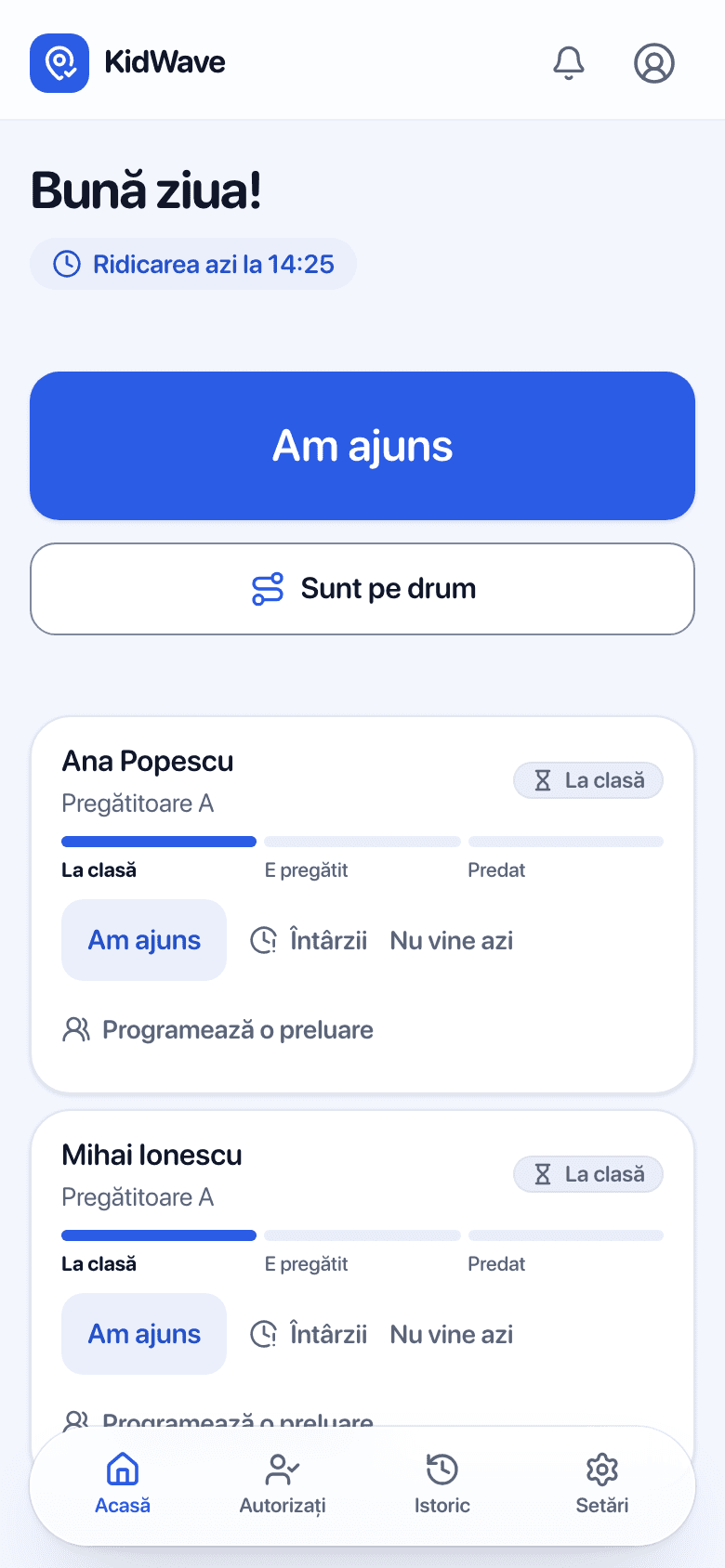
A normal day, step by step
Morning: report absences
If your little one has a cold, tap “Not coming today” or pick several days from the calendar. The school no longer expects them and won't look for you.
Heading to school
Tap “On my way”. Or turn on proximity detection: with the app open, about 300 m from school it asks whether to announce your arrival.
Running late?
Pick how many minutes and, if you want, leave a message. Your child stays calm in class.
Your child is ready
You get “Ready” when the teacher gets them ready to leave.
You arrive and pick them up
Tap “I'm here”, and at the end you get “Handed over”, with the time. The day stays in the history.
In the evening, it's all in the history
See who announced, who picked up and at what time, for every day.
Grandparents and the nanny, no account
When you can't make it, you authorize someone else in a few seconds.
- You send grandpa a link, by WhatsApp or SMS. He needs no account and no app.
- The link binds to his phone. If it's opened on another phone, you find out right away.
- At the gate he shows a QR code that changes every 30 seconds, which the school can verify.
- You get the confirmation: who took your child, at what time and whether it was verified with the code.
On iPhone, right from the lock screen
A home-screen widget with your child's status and the next step.
Your child's status on the lock screen and in the Dynamic Island, in real time.
Face ID unlock, so your child's data stays yours alone.
On Android or a computer, KidWave works in any browser.
Your data stays yours
Your location never leaves your phone. Proximity detection is optional and asks you to confirm.
The school sees only what you send: on my way, I'm here, running late, not coming today.
No ads. We don't sell data.
Free: the school pays the licence.
Questions from parents
Does it cost parents anything?
No. The kindergarten or school pays the licence. For parents and authorized people, KidWave is free.
My child's school doesn't use KidWave. What can I do?
Show them the page for schools or ask us to contact them. The first schools get a free semester.
How do I install the app?
From the link you get from the teacher. Open it on your phone and follow the steps. There is no public download, so that only parents added by the school get into the app.
What if grandpa doesn't have a smartphone?
The school can also hand your child over without the code. You then get an explicit notification that the code was not checked, with the time and the staff member's name.
Who sees my data?
Only the school's staff and you. The school is the data controller, and we host the data in the EU, deleted on request.
Want KidWave at your child's school?
Tell us which school it is and we'll contact them. Or show them the page for schools directly.