School pickup, without the chaos.
Parents announce they're coming, staff see who's next live and know who is allowed to take each child. No calls to the office and no queues at the gate.
- Data hosted in the EU
- Location stays on the phone
- Free for parents
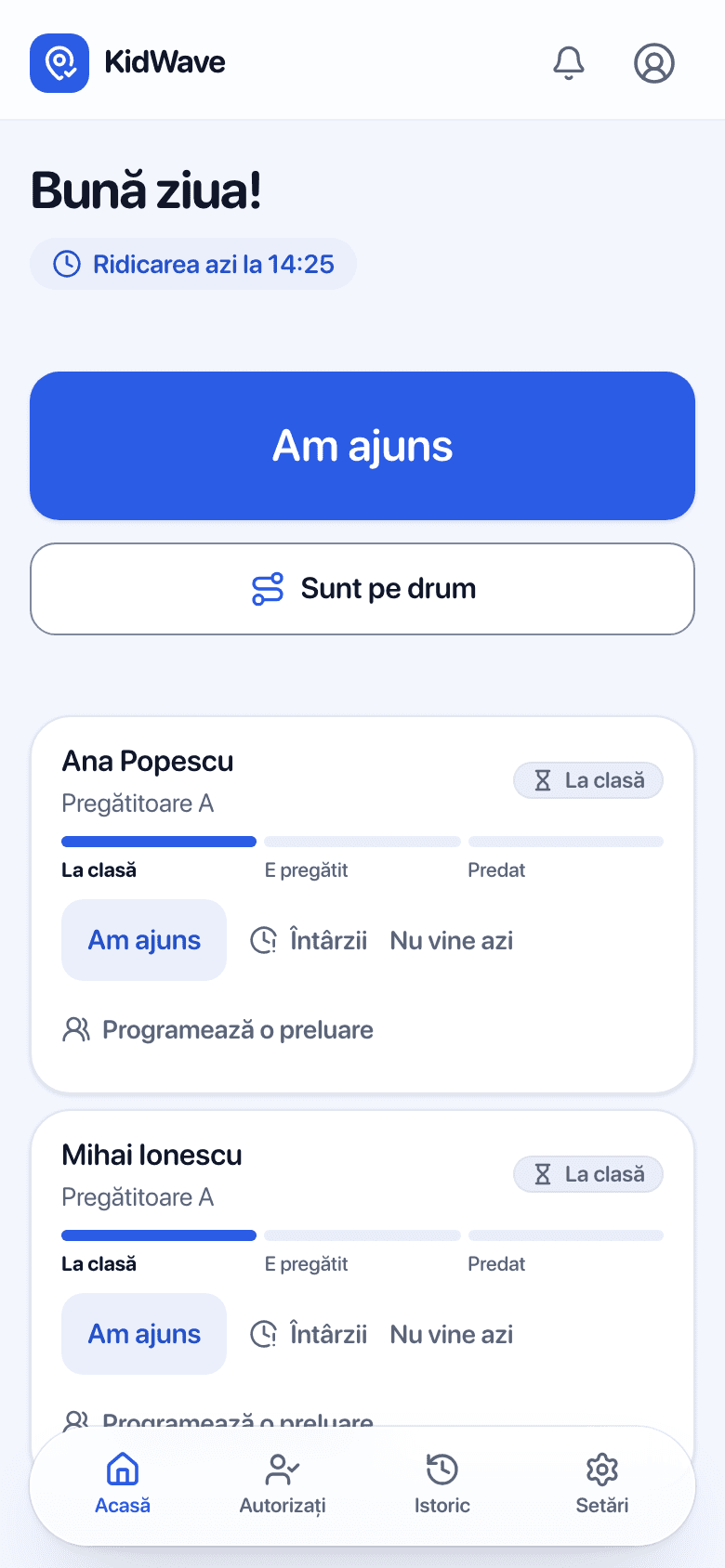
What KidWave does
Parents announce they're coming
One tap: on my way, I'm here, running late or not coming today. Optionally, with the app open near the school, it asks whether to announce the arrival.
The school sees everything live
On the teacher's phone, the office computer or the classroom smart board.
Handover to authorized people
To parents or authorized people. An authorized person shows a QR code at the gate that changes every 30 seconds; if staff hand over without the code, the parent is told explicitly.
One pickup, end to end
The same moment, seen from both sides. Each side sees only what the other sends.
- 15:30
On my way
One tap in the app. Optionally, the app asks whether to announce the arrival when they are close to school.
Sees “On the way”
Next to the child's name, by class. Not a single call to the office.
- 15:40
Running 10 minutes late
Picks the minutes and, if they want, leaves a short message.
Knows the estimated time
The child stays calm in class until shortly before arrival.
- 15:47
Gets “Ready”
A phone notification: the child is ready and waiting.
Taps “Ready”
For one child or the whole class, with a single tap.
- 15:49
I'm here
Says they're at the gate. Nobody shouts down the hallway anymore.
Sees “Arrived”
The child moves to the column of those expected at the gate.
- 15:50
Gets “Handed over”
With the time and the name of the person who picked them up.
Taps “Handed over”
If grandpa comes, they can check his code first. Everything stays in the history.
For parents
You know exactly when your child is ready, and the school knows when you arrive. No WhatsApp groups and no phone calls.
Announce with one tap
From the app. Right from the iPhone lock screen once the App Store app is out (coming soon).
Report absences in the morning
One day or several, from the calendar. The school no longer expects them.
Grandparents get a link
No account and nothing to install. At the gate they show a QR code.
Free, no ads
The school pays the licence. Your location never leaves your phone.
For schools and kindergartens
One screen for the whole dismissal: by class for the teacher, for the whole school for the office and management.
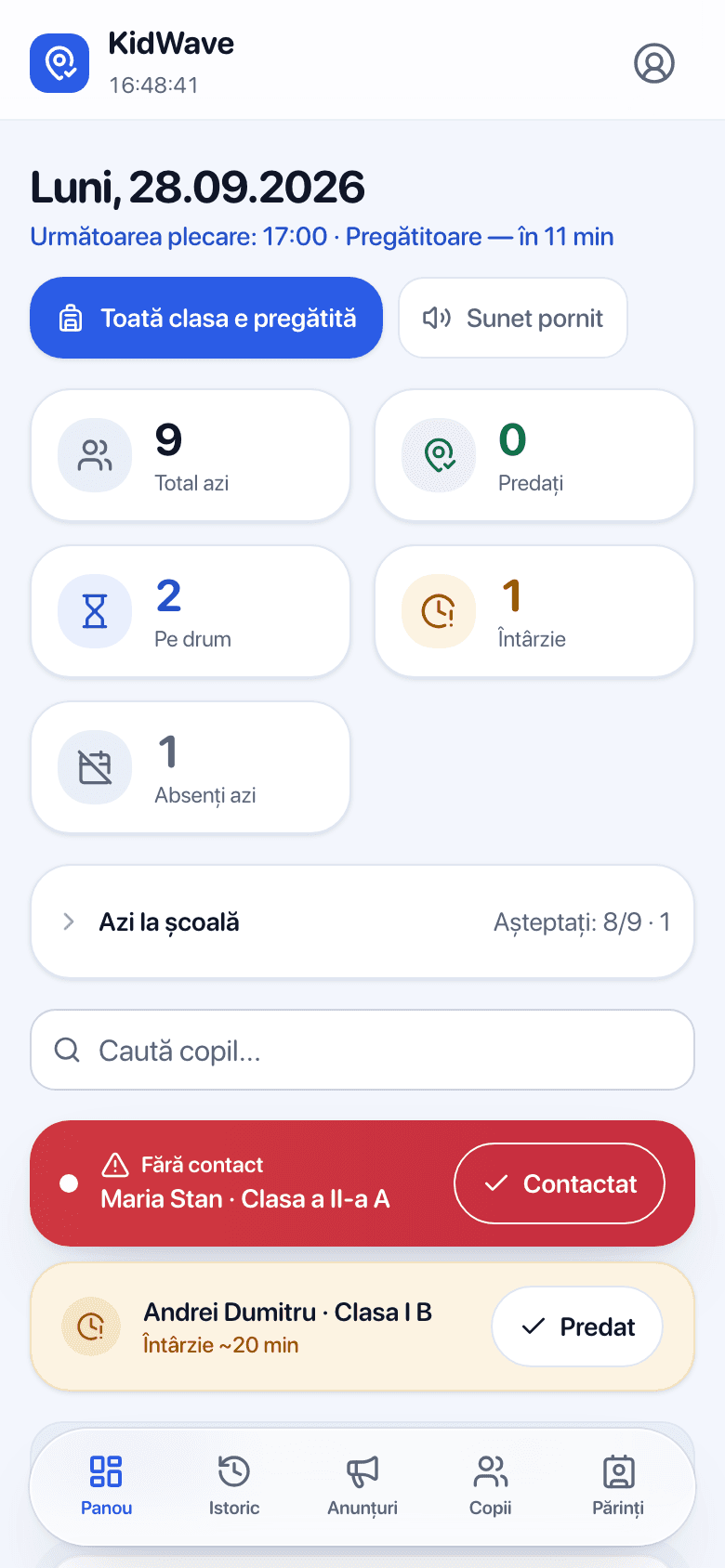
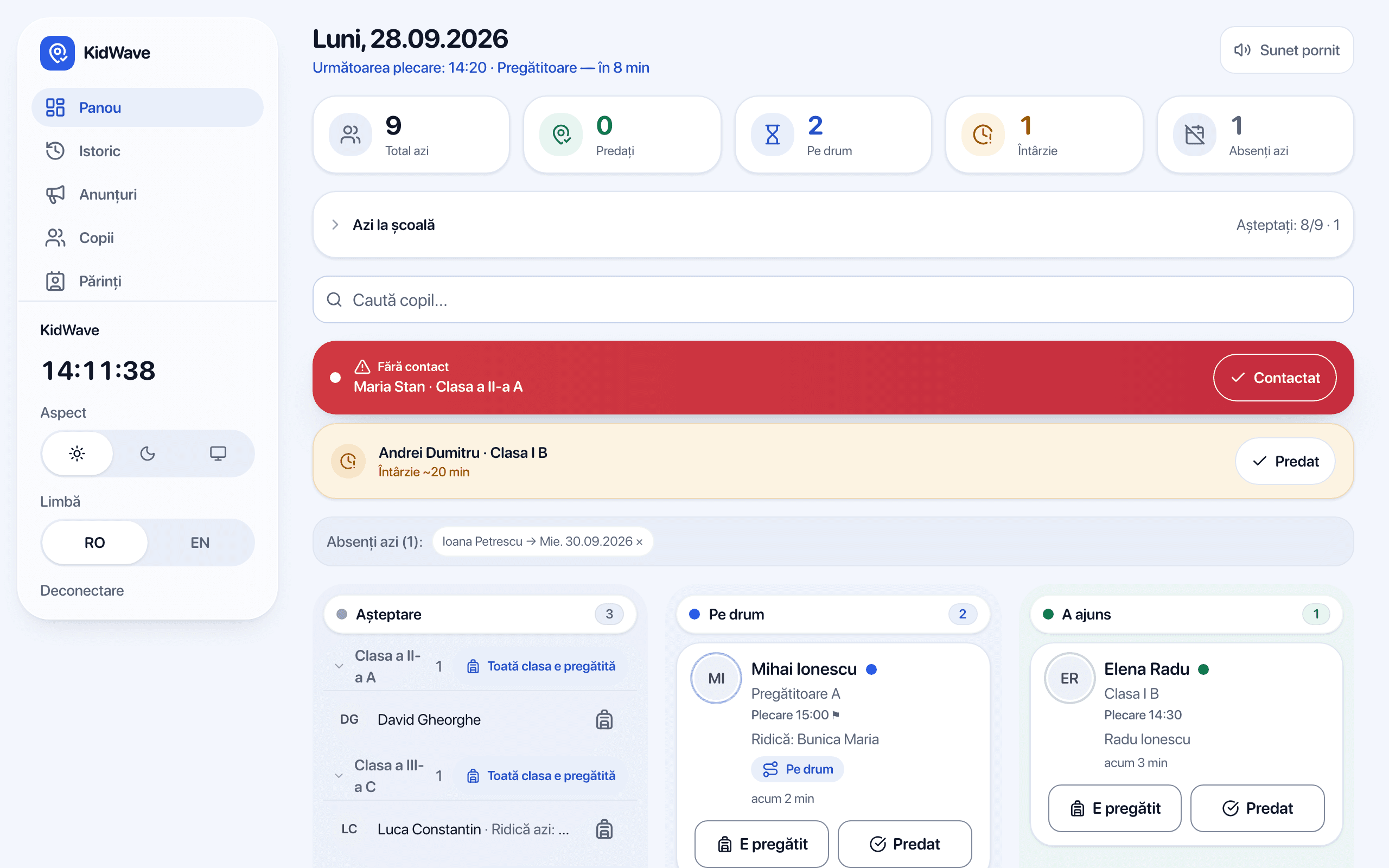
Board per class and per school
On the teacher's phone or the smart board; the office sees the whole school.
Automatic notifications
Parents' announcements arrive on their own on the phone and the class board.
Alert when nobody shows up
After dismissal time, the child is shown separately, with the parent's phone one click away.
History and records
Who announced, who picked up, at what time. Export any time.
Safety and data protection
Data in the European Union
Hosted in Frankfurt, strictly isolated per school.
Location stays on the phone
Proximity to school is calculated on the device, only if the parent turns it on.
Minimal data
Name and class. The school is the controller; we sign the data processing agreement (DPA).
No ads
We don't sell data and show no ads, to parents or to the school.
Frequently asked questions
What is KidWave?
An app that coordinates picking children up from kindergarten, after-school and school: parents announce when they're coming, the school sees everything live and knows who is allowed to take each child.
Who pays and how much does it cost?
The school pays one fixed yearly licence, from RON 2,400 per year + VAT. For parents and authorized people the app is free.
Does everyone have to install an app?
Parents get the link from the teacher and install the app from it, on iPhone or Android, straight from the browser. Grandparents and nannies only get a link, no account. Staff open it on a phone, a computer or the smart board.
What happens to my location?
It never leaves your phone. Proximity detection is optional, runs on the device while the app is open, and asks you to confirm before telling the school.
How long does setup take at a school?
One day. The school adds the teachers, and the teachers add the children and parents and send them the app link. Training takes 30 minutes and is included.
Does it replace the electronic gradebook?
No. KidWave does one thing, well: safe dismissal. It works alongside the platform you already use.
Want KidWave at your school?
The first schools get a whole semester free, with assisted setup.